
Calculate Your SRM CGPA Instantly and Accurately
⚠ Please fill valid SGPA (0–10) and Credits for all rows.
SRM formula: Percentage = CGPA × 10
| Grade | Grade Point | Marks Range | Category |
|---|---|---|---|
| O | 10 | 91 – 100 | Outstanding |
| A+ | 9 | 81 – 90 | Excellent |
| A | 8 | 71 – 80 | Very Good |
| B+ | 7 | 61 – 70 | Good |
| B | 6 | 51 – 60 | Average |
| C | 5 | 45 – 50 | Pass |
| F | 0 | < 45 | Fail |
Use our SRM CGPA Calculator to calculate your cumulative GPA instantly. Simply enter your semester GPA and credit hours to get accurate results in seconds without manual calculations. Our SRM CGPA Calculator Online is designed to help SRM students quickly track their academic performance using a simple and user-friendly interface. Whether you’re preparing for placements, applying for higher studies, or monitoring your progress after each semester, this Free SRM CGPA Calculator makes the process fast and hassle-free. If you’re looking for a reliable SRM University CGPA Calculator, use the tool above to calculate your CGPA and explore the guide below to understand the calculation method, grading system, and useful tips to improve your academic performance.
The SRM CGPA Calculator is an online academic tool that calculates your Cumulative Grade Point Average (CGPA) based on your semester GPA and earned credit hours. Unlike manual calculations, the calculator automatically applies the weighted average method, reducing errors and saving time.
Students often use an SRM GPA Calculator or SGPA Calculator to calculate semester results, while this calculator helps determine your overall academic performance across multiple semesters.
Calculating your CGPA is quick and straightforward.
Before calculating, double-check your GPA and credit values using your official academic records to ensure the most accurate result.
The calculator uses a weighted average method because every semester may have different credit hours. A semester with more credits contributes more to your final CGPA than one with fewer credits.
Formula
CGPA = Σ (Semester GPA × Semester Credits) ÷ Total Credits
Where:
The calculator performs this calculation automatically, eliminating manual errors and providing instant results.
Suppose a student has completed four semesters.
Semester | GPA | Credits |
1 | 8.2 | 20 |
2 | 8.6 | 22 |
3 | 8.9 | 21 |
4 | 9.1 | 24 |
Weighted score:
Total weighted score = 758.5
Total credits = 87
CGPA = 758.5 ÷ 87 = 8.72
This example demonstrates how the calculator applies the weighted average formula automatically, helping you avoid manual calculation errors.
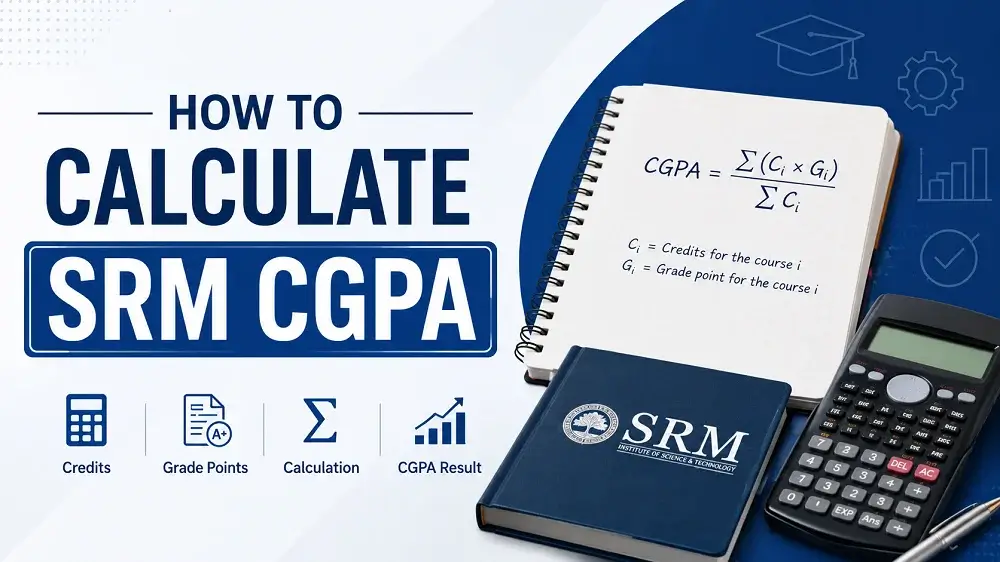
The SRM grading system assigns grade points based on your academic performance. Every course also carries a specific number of credits, which determine its contribution to your semester GPA and overall CGPA.
Grade | Grade Point |
O | 10 |
A+ | 9 |
A | 8 |
B+ | 7 |
B | 6 |
C | 5 |
P | 4 |
F | 0 |
Because courses have different credit values, scoring well in high-credit subjects can significantly improve your cumulative CGPA.
Although these terms are related, they measure different aspects of academic performance.
Term | Meaning | Purpose |
GPA | Grade Point Average | Performance in a group of courses |
SGPA | Semester Grade Point Average | Performance in one semester |
CGPA | Cumulative Grade Point Average | Overall performance across all semesters |
Use an SGPA Calculator for a single semester and the Online SRM CGPA Calculator for your cumulative academic performance.
Our calculator is designed to make CGPA calculation simple for every student.
Works directly in your browser with a simple, fast, and user-friendly interface.
Whether you’re planning for placements, internships, scholarships, or higher education, regularly tracking your CGPA helps you monitor your academic progress.
Students often make small mistakes that affect their calculations.
Always use the GPA and credits shown on your official academic records for the most reliable estimate.
The SRM CGPA Calculator makes it easy to calculate your cumulative academic performance without manual calculations. Simply enter your semester GPA and credit hours to get quick and reliable results in seconds. Whether you’re tracking your progress after each semester or preparing for placements, scholarships, internships, or higher studies, this calculator helps you stay informed about your academic performance. For the most accurate results, always use the GPA and credit information from your official academic records and follow your university’s academic regulations when required.
Calculate your SRM CGPA now using the calculator above and keep track of your academic performance after every semester. Regularly monitoring your CGPA can help you plan for placements, scholarships, internships, and higher studies with greater confidence.



Yes. Our Free SRM CGPA Calculator is completely free and can be used unlimited times without registration.
The calculator follows the standard weighted CGPA calculation method. For official purposes, always verify your CGPA with your university’s academic records.
Yes. Enter the GPA and credit hours for each completed semester, and the calculator will automatically calculate your cumulative CGPA.
Credit hours determine the weight of each semester. Semesters with more credits have a greater impact on your final CGPA.
It is suitable for students following the standard SRM grading methodology. If your department has different academic regulations, refer to your official guidelines before making important academic decisions.
Some institutions use different CGPA-to-percentage conversion formulas. Always follow the conversion method specified by your university or department.